
Setting Up
Authorization
- Obtain API Credentials You’ll need an Access Key and Access Key Secret to pull in Gong transcripts.
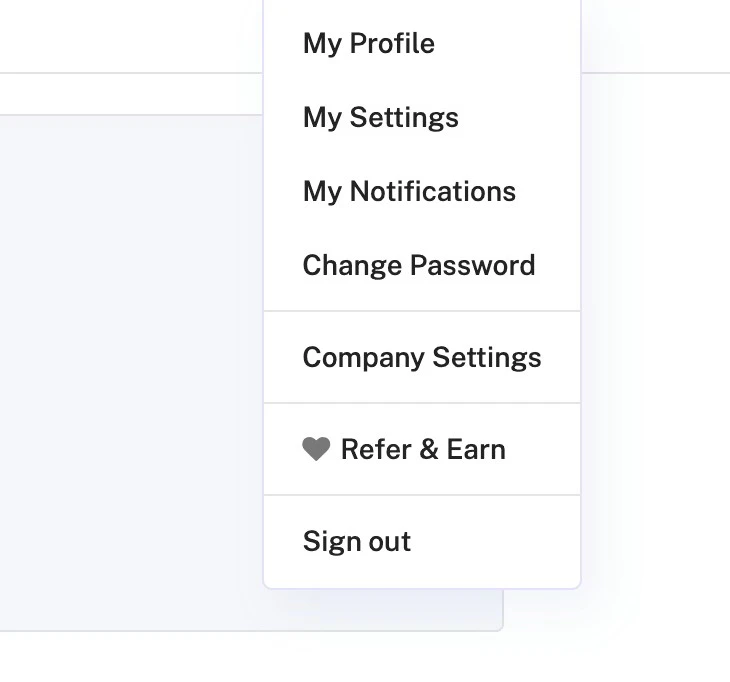
- Open Company Settings As an admin, click on Company Settings on the right side of the top navigation bar.
- Navigate to Ecosystem → API Locate the Ecosystem section and select API.
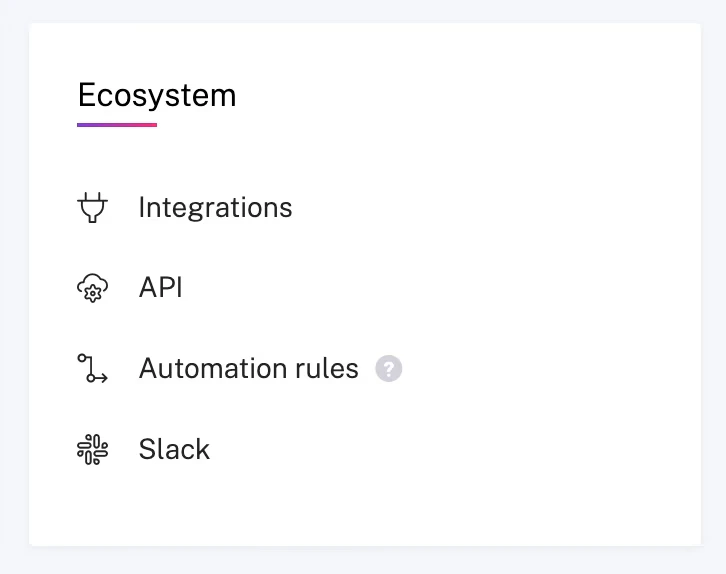
- Generate API Keys Select API Keys (located next to Integrations), then click Get API Key. Note down your Access Key and Access Key Secret for use in the next steps.
Indexing
- Open the Gong Connector In the ASSIST AI interface, navigate to the Admin Panel and select the Gong Connector.
- Enter Your Credentials Provide the Access Key and Access Key Secret obtained in the previous step.
- Select Workspaces Specify the workspaces you’d like to index, or leave the field empty to index all available workspaces.
- Start Indexing Click
Connectto begin indexing your Gong call transcripts.