> ## Documentation Index
> Fetch the complete documentation index at: https://docs.tryassist.in/llms.txt
> Use this file to discover all available pages before exploring further.
# S3 Overview
## How it works
The S3 connector retrieves all documents stored in a specified Amazon S3 bucket, supporting a range of file formats such as PDF, DOC, DOCX, TXT, and others.
Document syncing occurs once **every 24 hours.**
## Setting Up
### Authorization
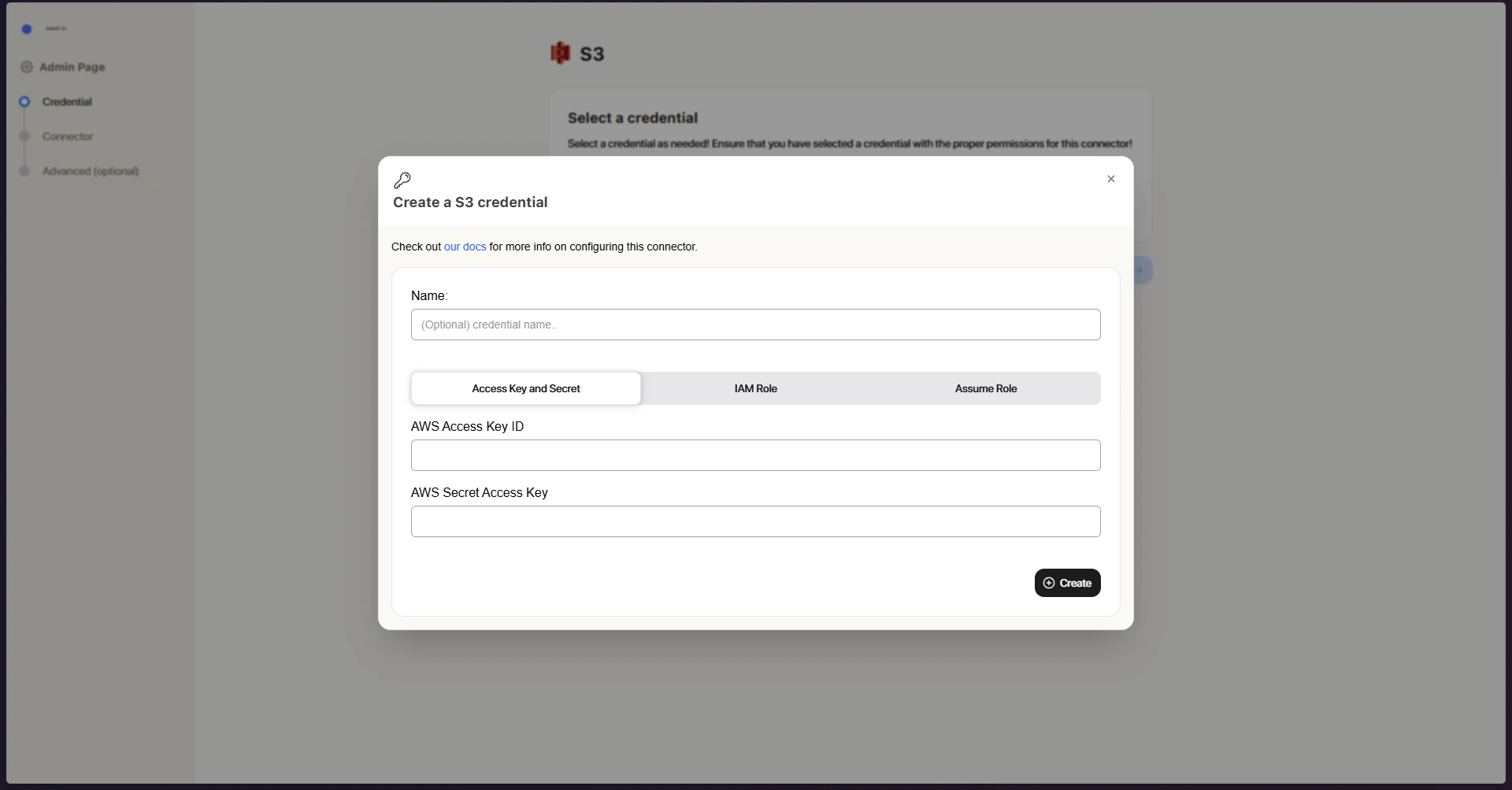
Three authorization methods are available - choose whichever best suits your setup:
* **AWS Access Keys** – Authenticates using standard access key credentials
* **IAM Role-Based Authorization** – Leverages AWS IAM roles for enhanced security
* **Assume Role** – Automatically draws on the EC2 instance's assigned role to access S3
### Indexing
1. **Open the S3 connector** Go to the ASSIST AI Admin Panel and navigate to the S3 Connector.
2. **Configure authorization** In Step 1, set up your authorization method. Select from existing credentials, or click **Create New** to add fresh ones: Access Keys (enter your AWS Access Key ID and Secret Access Key), IAM Role (enter your Role ARN), or Assume Role (no credentials needed).
3. **Save your configuration** Click **Create** to store your settings.
4. **Proceed with your credential** Make sure the correct credential is selected, then click **Continue**.
5. **Enter bucket details** In Step 2, fill in your S3 bucket information: a Connector Name, the Bucket Name, an optional Prefix to narrow indexing to a specific path, and the Access Type (Public or Private).
6. **Launch the connector** Click **Create Connector** to kick off indexing.
Once running, the connector will begin indexing your bucket. You can add additional buckets or adjust settings at any time.
 ## Understanding S3 Structure
Amazon S3 organizes data into buckets. Each bucket can contain an unlimited number of objects (files). You can think of a bucket as a root directory, and the objects as files within that directory.
For more information on S3 structure, visit the [**Amazon S3 documentation**](https://docs.aws.amazon.com/AmazonS3/latest/userguide/Welcome.html).
## Understanding S3 Structure
Amazon S3 organizes data into buckets. Each bucket can contain an unlimited number of objects (files). You can think of a bucket as a root directory, and the objects as files within that directory.
For more information on S3 structure, visit the [**Amazon S3 documentation**](https://docs.aws.amazon.com/AmazonS3/latest/userguide/Welcome.html).